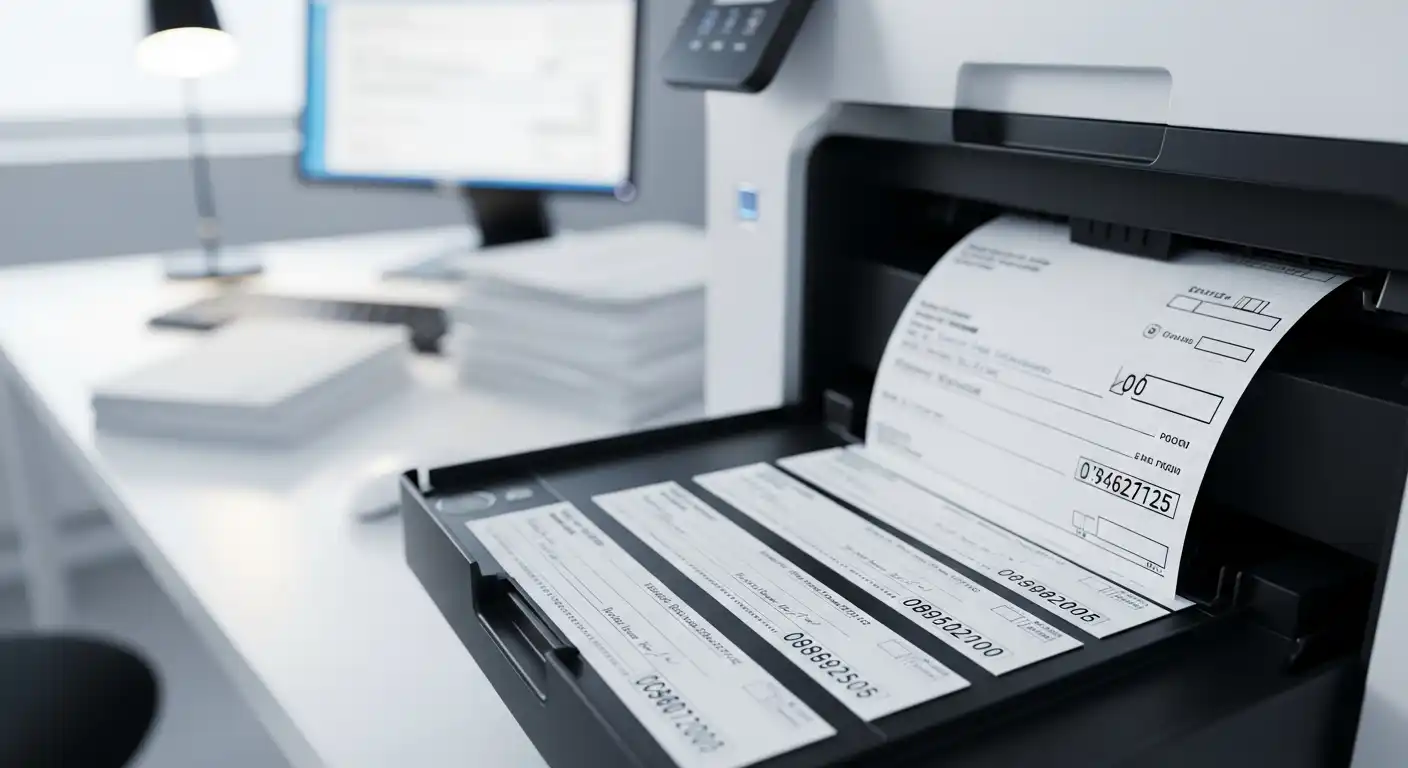
Many people think only banks can print checks. But with the right tools, you can print your own. A laser printer check means a check printed using a laser printer. It’s clean, fast, and looks professional. Businesses often use laser printers because they print sharp text and last longer. In this guide, you’ll learn what laser check printing is, what you need, and how to do it safely.
What Does “Laser Check Printing” Mean?
Laser check printing means making checks using a laser printer instead of buying them pre-printed. A laser printer uses heat and toner to print on paper. It makes dark, crisp lines that are easy to read. This is important because banks scan each check.
Unlike old dot-matrix printers, laser printers don’t use ribbons. They use toner powder, which melts onto the paper. This makes the print strong and smudge-free. That’s why laser printers are great for printing checks.
If you use special check stock paper, your printed checks will look just like the ones from your bank. You can even add your business name, logo, and address on them.
Key Parts of a Laser Printer Check Setup
1. Check Stock (Paper)
You can’t use normal paper for checks. Checks need special paper called check stock. This paper has security marks and watermarks to stop fraud. It’s also made to handle the heat of a laser printer. You can buy blank check stock or pre-designed ones with your logo. Always make sure the paper says “laser compatible.”
2. MICR Toner or Font
At the bottom of every check, you’ll see numbers for your account and bank routing. These are printed in a special font called MICR. Some banks need checks printed with MICR toner, which contains magnetic ink. This helps bank machines read your checks faster and more accurately. Not all home users need MICR toner, but it’s safer to have if you print often.
3. Check Printing Software
You’ll also need software to help design and print your checks. Many programs already have templates for popular banks. The software places your name, date, amount, and MICR line in the right spot. Without it, your checks may print out of line and get rejected by the bank.
4. A Reliable Laser Printer
Not all laser printers are the same. You need one that handles check stock well. A good check printer should feed paper smoothly and keep alignment steady. It should also print clearly so all text looks sharp. Dual-tray printers are even better if you print many checks, as they let you load different papers at once.
5. Security Features
Security is key when printing checks. Use paper with anti-copy marks, invisible fibers, or micro-printing. These make it harder for anyone to copy or change your checks. Always store blank check paper in a safe place. Never leave printed checks lying around your desk.
Benefits of Using a Laser Printer for Checks
Laser printers have many benefits for check printing. They print clear and neat lines that look professional. This helps banks read your checks without errors. Laser printers are also fast, so you can print many checks in a short time.
Toner doesn’t smear like ink, so your checks won’t fade or smudge when handled. Laser printers also save money in the long run. You can print checks only when needed instead of ordering large batches. It’s perfect for small offices, freelancers, or home business owners.
And the best part? You stay in control. You can design, print, and track every check yourself.
Common Myths and Mistakes About Laser Check Printing
Some people think they need a “special check printer.” That’s not true. Most laser printers can print checks if you use the right paper and settings.
Another mistake is using the wrong kind of paper. Regular copy paper or inkjet paper can jam or fade. Always use laser check stock.
Some users skip the MICR toner because they think it’s optional. But banks may reject checks that don’t read well. Always test one check first to make sure everything lines up.
A big mistake is ignoring security. Checks can be copied or altered if not printed correctly. Always add security marks and keep blank checks locked up.
Step-by-Step: How to Print Checks with a Laser Printer
Printing checks isn’t hard. Just follow these steps:
Step 1: Get good quality laser check stock.
Step 2: Use check printing software to set up your layout.
Step 3: Load the paper in the correct tray and direction.
Step 4: Choose printer settings like paper size and print quality.
Step 5: Print a test check first. Check that all text lines up.
Step 6: Print your real checks and store them safely.
These simple steps make your checks look neat and professional.
What to Look For in a Laser Printer for Check Printing
Choosing the right laser printer makes a big difference. Not every printer can handle check paper well. Pick a printer that can feed thick paper smoothly. A jam or misfeed can ruin your checks.
Look for a printer with a strong paper tray. It should hold enough paper to print many checks at once. High print resolution is also important. It keeps numbers and letters sharp. Blurry text can cause banks to reject your checks.
If you print checks often, choose a printer with a high duty cycle. It will last longer and need less repair. Dual-tray printers are great if you switch between plain paper and check stock. That way, you don’t have to reload every time.
Also, check if your printer works with MICR toner. Some printers need special cartridges for it. If your bank requires MICR, make sure your printer supports it before you buy.
Security and Compliance Tips
Checks are sensitive documents. That means safety should come first. Always use secure check stock with built-in safety marks. Some papers have watermarks or hidden words that show if copied.
Keep your check paper in a locked drawer or cabinet. Only trusted people should have access. When you finish printing, count the checks and store them properly.
Use software that helps track check numbers. This makes it easy to spot missing or duplicate checks. If you ever print checks for business use, follow your bank’s printing rules. Some banks check placement, size, and the MICR line carefully.
Avoid sharing digital check files. Hackers can steal that data. Always print offline if possible. These small steps help keep your money safe.
Cost and Savings: Printing Checks at Home or Office
Printing your own checks can save money. You don’t have to order big boxes from the bank. You only print what you need. That means less waste and no waiting for delivery.
The main cost is your laser printer, toner, and check paper. MICR toner costs more, but it lasts a long time. Over time, the cost per check is much lower than buying pre-printed ones.
For home users or small offices, the savings add up. You also get freedom to design your checks your way. You can add your logo, colors, or layout that fits your brand.
Large companies that print hundreds of checks each month save even more. Once you set up the printer and software, you can print checks in minutes. It’s fast, clean, and cost-effective.
Troubleshooting Laser Check Printing
Even with the best setup, mistakes can happen. If your checks print off-center, check your layout in the software. You may need to move text boxes slightly.
If toner smears or flakes, your fuser might be too cool. Adjust the print settings for heavier paper. Always make sure your check stock is laser-safe.
If your MICR line doesn’t read at the bank, try cleaning your printer or replacing the toner. The MICR line must be clear and dark. Avoid printing too close to the edge.
When checks jam, remove the paper gently and reload it straight. Curved or bent paper causes jams. Always test one sheet before printing a batch.
If banks reject your checks, don’t panic. Recheck the layout, MICR font, and paper size. Most problems are easy to fix with small changes.
Conclusion
Printing checks with a laser printer is simple when done right. You just need the right tools — good paper, correct toner, and a reliable printer. Laser printers make checks clear, neat, and professional.
You save time, money, and effort. You also stay in control of your own printing. No more waiting for the bank to deliver new checkbooks.
By following simple steps and safety tips, anyone can print checks at home or in the office. It’s secure, smart, and easy to learn. With your laser printer ready, you can start printing checks with confidence today.
Common Questions
1. Can I use an inkjet printer for checks?
It’s not the best idea. Ink can smudge or fade. Laser printers make sharper, longer-lasting prints.
2. Do I always need MICR toner?
If your bank scans checks with magnetic readers, yes. If not, normal toner may still work. Ask your bank first.
3. Can I print personal checks at home?
Yes, you can. Just use check printing software and the right paper.
4. How can I keep my printed checks safe?
Store them in a locked drawer. Use paper with safety marks. Never leave them on your desk.
5. Why did my bank reject my check?
Most times, the layout or MICR line is off. Print a test check and make sure everything lines up before printing more.