Printing your own checks can save time and money. You don’t have to wait for your bank or a printing company. A laser check printer helps you do it safely and professionally. Many small businesses use one to print payroll or vendor checks on demand.
If you print checks often, this type of printer gives you better control. You can print only what you need, when you need it. In this guide, you’ll learn what a laser check printer is, how it works, and what to look for before buying one.
What is a Laser Check Printer?
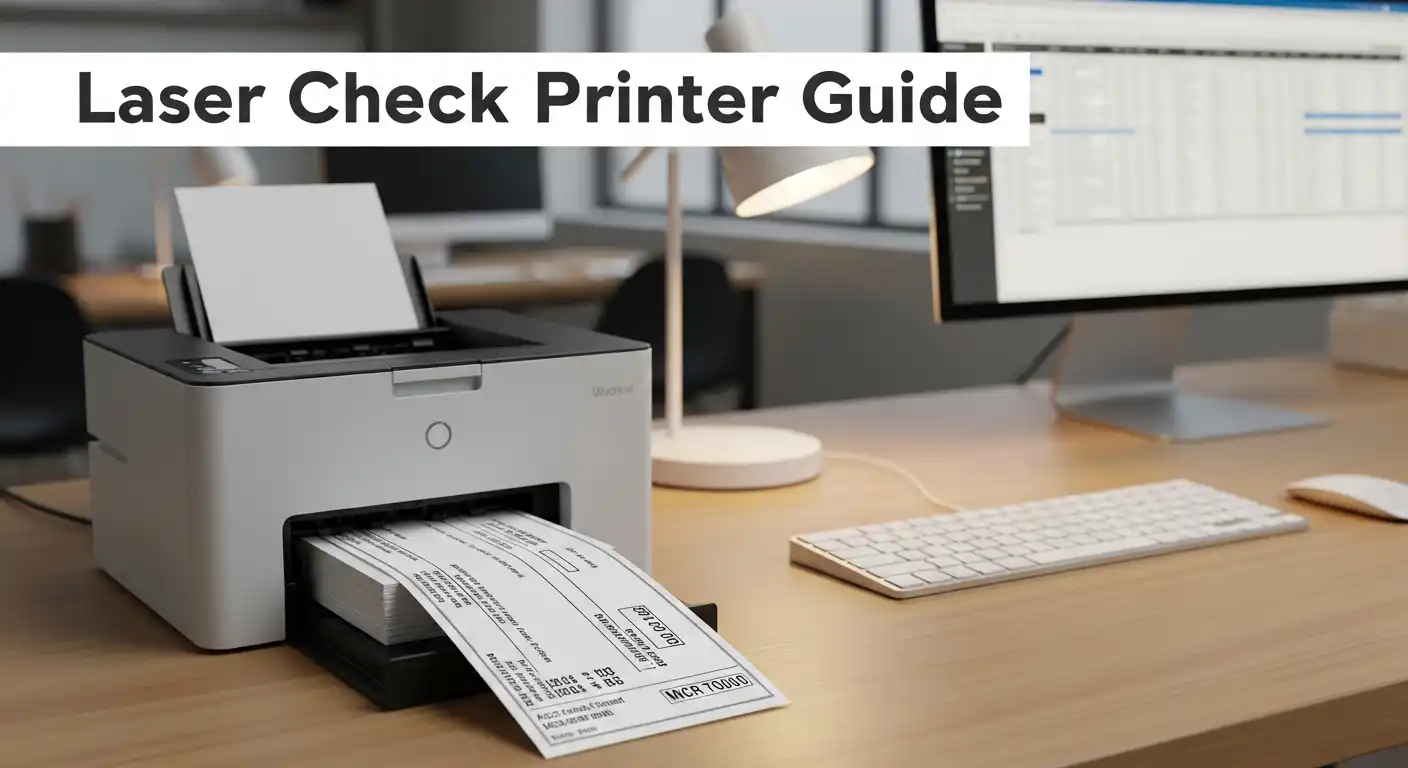
A laser check printer is a regular laser printer that uses a special kind of toner. This toner is called MICR toner, which stands for Magnetic Ink Character Recognition. Banks use machines that read these magnetic numbers at the bottom of your checks.
This magnetic print helps banks process your checks quickly and correctly. Without MICR toner, your checks may not scan or may even get rejected.
Regular printers use standard toner or ink, but they don’t have magnetic properties. That’s why a true laser check printer uses MICR toner to meet banking standards.
You can either buy a printer that already supports MICR toner or use a MICR conversion kit. Some vendors sell full printer bundles with toner, check paper, and software. These are great for small offices or home businesses.
How MICR Works
MICR toner contains small magnetic particles. When you print a check, these particles form the numbers at the bottom — like the bank routing and account number.
When your check goes through a bank reader, the machine scans these numbers magnetically. This makes it easy for banks to sort and verify checks fast.
It’s simple technology but very reliable. That’s why MICR has been used for decades for check printing.
Laser vs Inkjet for Check Printing
Some people wonder if they can print checks on an inkjet printer. The answer depends on your needs. Inkjet printers can print checks, but they don’t use magnetic toner. That means they are not always accepted by banks.
A laser check printer, on the other hand, uses MICR toner. This makes the printed checks magnetic and bank-compliant. Laser printers also produce sharper, cleaner text, which helps avoid reading errors during processing.
Laser printers are also faster than inkjets. They can handle large batches of checks without smudging or streaking. This makes them perfect for offices that print checks every week.
Inkjet printers may work for personal checks or small runs. But for any business that pays employees or vendors regularly, a laser check printer is the safer choice.
Key Features to Look For in a Laser Check Printer
Before buying a laser check printer, it’s important to know what features matter most. Here’s what to keep an eye on:
1. MICR Compatibility
Make sure the printer supports MICR toner. Not all laser printers do. Using regular toner won’t make your checks magnetic.
2. Print Quality
High-quality text is key for bank scanning. Look for at least 600 dpi print resolution.
3. Print Speed
If you print many checks, speed matters. A printer with at least 25 pages per minute will save you time.
4. Paper Handling
Choose a printer with large input trays. You’ll need space for check stock paper. Some models come with dual trays, so you can print on plain paper too.
5. Software Compatibility
Your printer should work with check printing software like VersaCheck or QuickBooks. This makes setup simple.
6. Security Features
A good laser check printer keeps your data safe. Look for models with password print or secure boot options.
7. Cost of Supplies
Check the price of MICR toner and replacement drums. These costs can add up. Sometimes, bundled printers come with a full set of supplies included.
Picking the right features will help you avoid printing errors and wasted money. It also makes your business look more professional.
Best Laser Check Printers
Here are a few types of laser check printers that people often choose:
HP LaserJet with MICR Bundle
These are reliable and fast. You can buy them pre-converted for MICR toner. Perfect for small businesses.
Brother HL Series
Known for low running costs and strong performance. Easy to set up with MICR toner kits.
VersaCheck Printer Bundles
These come with everything you need — printer, MICR toner, check paper, and software. Great for beginners.
Each of these printers offers clear text, magnetic ink support, and solid build quality. The right one for you depends on how many checks you print each month.
How to Set Up a Laser Check Printer
Setting up a laser check printer is not hard. You just need to follow a few simple steps.
Step 1: Install the MICR toner.
Take out the regular toner cartridge and replace it with the MICR one. Make sure it clicks into place.
Step 2: Load check paper.
Use blank or pre-printed check stock that matches your layout. Place the paper in the input tray facing the right direction.
Step 3: Connect the printer.
Plug it into your computer with a USB cable or connect it to Wi-Fi if supported.
Step 4: Install software.
Programs like VersaCheck or QuickBooks can help design and print checks. Choose a check template and fill in your business details.
Step 5: Test print.
Print one sample check. Make sure the numbers at the bottom are clear and centered.
Step 6: Check alignment.
If lines or numbers are off, adjust your margins in the software.
That’s it. Once set up, your printer will be ready for safe, bank-approved check printing.
Common Compliance and Security Questions
Do banks accept laser-printed checks?
Yes, as long as you use MICR toner and proper check stock. Most banks rely on magnetic scanning for check numbers.
Can I use regular toner instead of MICR?
No. Regular toner does not have magnetic particles. Your check might print fine but fail during bank processing.
Do I need special paper?
Yes. Always use secure check paper. It often has watermarks or heat-sensitive marks that help prevent fraud.
Is printing my own checks safe?
It is safe if you store your paper and toner securely. Never leave blank check paper in an open printer.
How long does a MICR toner last?
It depends on how many checks you print. Most MICR cartridges can handle thousands of pages before needing replacement.
Can I print personal checks too?
Yes. You can design and print personal checks using the same printer and toner.
By following these simple rules, you’ll keep your checks bank-compliant and protected.
Cost of Ownership and Maintenance
Owning a laser check printer costs more upfront than a normal printer. But in the long run, it saves money if you print checks often.
MICR Toner:
A MICR toner cartridge usually costs more than a standard one. But it lasts longer and keeps your checks compliant.
Check Paper:
You can buy blank check stock in bulk. The price per sheet drops when you buy more.
Printer Maintenance:
Keep your printer clean. Dust or old toner can cause smudges. Replace the drum unit when print quality fades.
Software:
Some check printing programs charge a small fee, but most offer free templates.
When you add it all up, the cost is still less than ordering checks from a printing company every month.
Troubleshooting Common Problems
Sometimes your laser check printer might not print perfectly. Don’t worry — most issues are easy to fix.
Smudged Checks:
This can happen if toner is old or paper is moist. Try replacing the toner or using fresh paper.
Light or Faded Print:
Shake the toner gently. It helps spread the magnetic powder evenly.
Paper Jam:
Always use clean, flat paper. Check the tray for small bits of torn paper.
Wrong Alignment:
Open your check template in software and adjust margins slightly.
These quick fixes can keep your printer working smoothly and your checks looking sharp.
Conclusion
A laser check printer is a smart choice for anyone who prints checks often. It gives you control, security, and speed. You can print checks anytime without waiting for a bank or a printing company.
With MICR toner and the right check paper, your checks will be safe and accepted by all banks.
Before buying, check for key features like MICR support, print speed, and software compatibility. A good printer will last for years and make your business run more smoothly.
Printing checks doesn’t have to be hard. With the right laser check printer, it’s fast, simple, and secure.
Frequently Asked Questions (FAQ)
1. What is a laser check printer?
It’s a laser printer that uses MICR toner to print bank-approved checks.
2. Why do banks need magnetic ink?
Banks use magnetic scanners to read the numbers at the bottom of checks quickly and accurately.
3. Can I use any laser printer for check printing?
Only if it supports MICR toner or can be converted to use it.
4. Is it legal to print your own checks?
Yes. It’s legal as long as you use correct paper and magnetic toner.
5. What kind of paper should I use?
Use check stock paper with built-in security features like microprint or watermarks.
6. How often should I replace MICR toner?
When your prints start to fade or every few thousand pages, depending on usage.
7. Can I print checks for multiple accounts?
Yes. Most check software allows you to store and switch between several account profiles.